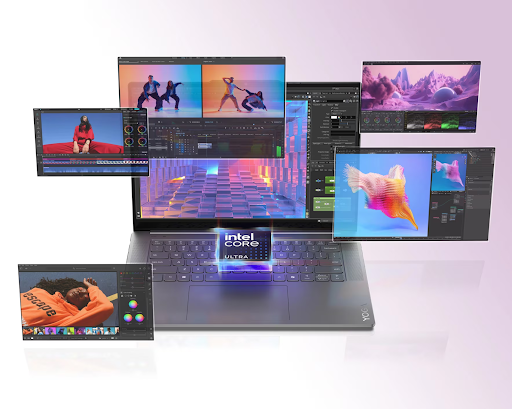
Computers used to be simple tools that just followed orders. You clicked a button, and the machine reacted. Today, everything is changing fast. Your PC is getting a brain of its own. It learns how you work every single day. This shift is called adaptive computing. It means your smart PCs adjust themselves to fit your specific needs. You do not have to change the machine anymore. The machine changes for you. This technology makes life easier for everyone. It saves time and energy while boosting your focus. We are entering an era where hardware feels alive. These smart features turn a basic laptop into a powerful partner.
Let us explore how these eight incredible techniques make your digital life smoother and much faster than ever before.
1. Smart Power Management That Never Quits
Your PC now watches how you use battery power. It notices when you run heavy apps. It happens when you just browse the web. The system shifts energy to where you need it most. This makes your smart PCs continuously learn from your behavior and adjust system performance automatically, without any manual tuning or interruptions.
- The PC dims the screen when you look away.
- It closes background apps that steal your power.
- The system learns your daily charging habits.
This intelligent energy use keeps your device running longer. It ensures you stay productive without hunting for a wall outlet. Once the power stays steady, the PC can focus on keeping things cool.
2. Thermal Control for Peak Performance
Heat is the biggest enemy of a fast computer. Adaptive AI manages the internal fans based on your environment. It knows if the laptop is on a desk or your lap. It adjusts the cooling to prevent burns or loud noises.
- Sensors track heat levels in real-time.
- Fans spin faster only when necessary.
- The PC lowers its speed to prevent melting parts.
Why Silent Cooling Matters
Active cooling keeps the system stable during intense tasks. You get a quiet workspace without losing any processing speed. This balance makes sure the hardware lasts for many years.
Better cooling leads directly to a much faster response time for your favorite programs.
3. Intelligent App Boosting for Faster Results
Your AI PC tracks which apps you open every morning. It preloads your email or browser before you even click. This makes the entire experience feel instant. You never have to wait for a spinning loading icon again.
- AI allocates extra RAM to your active windows.
- The system predicts your next move with high accuracy.
- Legacy apps run smoothly through smart optimization.
This speed makes your workflow feel like a breeze. It sets the stage for much better communication during video calls.
With AI being commonly used in every device today, PCs are not an exception. The global market of AI smart PCs is expected to surpass $260.43 billion by 2030
4. Crystal Clear Audio with Noise Removal
Background noise ruins online meetings and calls. Smart PCs use AI to identify your voice specifically. They filter out barking dogs or loud fans instantly. Your team hears only what you say.
- Neural networks isolate human speech from static.
- Microphones adjust sensitivity based on room echo.
- Speakers enhance treble for better vocal clarity.
Clear sound allows for a much better connection with your coworkers. It also pairs perfectly with new visual enhancements for your camera.
5. Advanced Vision for Better Video Presence
The camera on your PC is now much smarter. It uses AI to keep you in the center of the frame. It blurs your messy room to keep your privacy safe. You look professional even when you work from a coffee shop.
- Auto-framing follows your movement during a presentation.
- Eye contact correction makes you look at the lens.
- Low light enhancement brightens your face in dark rooms.
Staying Sharp in Every Frame
Adaptive vision tech handles the lighting for you. You do not need expensive studio lights to look great. This builds confidence during every single digital interaction.
Looking good is great, but staying safe is even more important for every user.
6. Proactive Security That Guards Your Data
Security is no longer just about running a scan. Your PC monitors your behavior to spot weird activity. It locks the screen the moment you walk away. This keeps hackers out and your private files safe.
- Face recognition logs you in without any passwords.
- AI detects unusual file changes from malware.
- The system warns you about risky public networks.
Strong security gives you total peace of mind while you work. It protects the hard work you do while the PC manages its own memory.
7. Dynamic Memory Allocation for Heavy Tasks
Your computer has a set amount of memory. Usually, this memory stays stuck in one place. Adaptive computing moves that memory to where the fire is. If you edit a video, the PC gives that task everything it has.
- Virtual memory expands during heavy workloads.
- Idle tasks lose priority to save resources.
- Data flows faster between the chip and the drive.
Smart memory usage prevents crashes and annoying freezes. It ensures your machine stays agile no matter how many tabs you open. This agility leads to a more personalized user interface.
8. Personalized Interface Adjustments
The way you see your screen changes based on your mood and light. AI adjusts colors to reduce eye strain at night. It moves the most-used shortcuts to the front. Your PC evolves to match your unique personality.
- Screen brightness shifts based on the sun outside.
- Font sizes grow if you lean back from the screen.
- The layout changes to help you stay focused on tasks.
Conclusion
We are moving away from static machines that never change. These eight techniques prove that the future is adaptive. Your smart PCs now act like a partner that understands your habits. It protects your data and saves your battery. It makes sure you look and sound your best in every meeting. This technology removes the friction between humans and digital tools. You can focus on being creative while the AI handles the boring details.
The best part is that these systems keep getting smarter every day. Your computer will be better tomorrow than it is today. Embrace this change and enjoy a faster digital world.
Be the first to comment on "8 AI Smart PC Techniques Supporting Adaptive Computing"