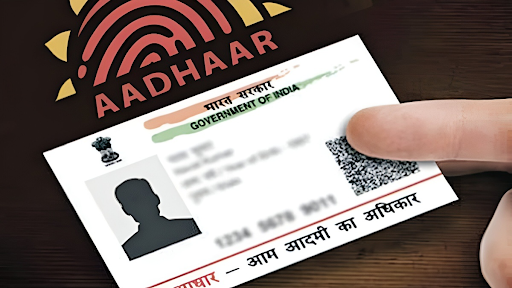
Aadhaar, issued by the Unique Identification Authority of India (UIDAI), is India’s most important identity document. From opening a bank account to availing government subsidies, an Aadhaar card plays a pivotal role in simplifying access to services. With advancements in digital services, you no longer need to visit an Aadhaar enrollment center for printing or acquiring your Aadhaar card hard copy. UIDAI offers the option to download the Aadhaar card online through its self-service portal.
In this article, we will provide a step-by-step guide for Aadhaar card download and explain how to get Aadhaar card online efficiently. Let’s dive right in.
Why You Need an Aadhaar Card
Before diving into the process, let’s discuss why having an Aadhaar card is essential. Aadhaar is a unique 12-digit identification number that acts as proof of identity and address for Indian residents. It is linked to several financial and government services, including:
- Subsidies for LPG gas, pension, and scholarships
- Verification for mobile SIM cards and bank accounts
- Easy taxation and filing via linking to PAN cards
This document serves as a reliable identity proof for various purposes, emphasizing the need to have it accessible at all times. Luckily, downloading a copy of your Aadhaar card online is quick and simple.
Steps for Aadhaar Card Download Online Using Self-Service Portal
The UIDAI’s online services allow you to instantly access and download your Aadhaar card in its digital format, also referred to as e-Aadhaar. Follow these steps for an effortless download:
1. Access the Official UIDAI Website
The first thing you need to do is visit the official UIDAI portal. This is the one-stop platform for all Aadhaar-related services, such as updating personal information, linking Aadhaar with PAN, and downloading Aadhaar cards online.
2. Go to the “Download Aadhaar” Page
On the UIDAI homepage, navigate to the section labeled “Get Aadhaar” or “Download Aadhaar.” Click on it to be redirected to the Aadhaar card download page. You will have multiple download options depending on the document type.
3. Enter Your Aadhaar Details
In the download Aadhaar section, you will be required to input crucial information, including:
- Aadhaar Number
- Enrolment ID (EID)
- Virtual ID (VID)
The enrolment ID is usually provided at the time of registering for Aadhaar enrollment. If you don’t have a physical Aadhaar card handy, an Enrollment ID works equally well.
4. Verify Your Credentials
After entering the ID type, you must verify your identity via OTP (One-Time Password). An OTP will be sent to the mobile number linked to your Aadhaar. Enter the OTP on the webpage as a final step in credential validation.
5. Confirm and Download the File
Once verified, a “Download” button will appear on your screen. Click on it to download the e-Aadhaar file.
The downloaded Aadhaar file will typically be in PDF format. For security purposes, the file is password-protected. The password is an 8-character combination of your first four letters (capitalized) of your name, followed by your year of birth.
Benefits of e-Aadhaar Card
There are several reasons why downloading your Aadhaar card online is convenient:
1. Accessibility Anytime, Anywhere
Instead of waiting for a physical copy to arrive, you can instantly access your Aadhaar card anytime, anywhere, through UIDAI’s online portal.
2. Validity
The digitally signed e-Aadhaar is as valid as a physical Aadhaar card. You can use it for government verifications or legal purposes without any issues.
3. Quick and Secure Process
With a mobile number linked to Aadhaar, you can complete the process quickly and securely. Immediate OTP verification ensures theft prevention and document security.
How to Get Aadhaar Card Online for Those Who Don’t Have an Aadhaar Number
If you don’t know your Aadhaar number and are wondering how to get aadhaar card online, UIDAI provides alternatives such as downloading Aadhaar via Enrollment ID or retrieving the Aadhaar number first.
1. Use the Enrollment ID (EID)
When you applied for Aadhaar, you would have received an acknowledgment slip containing your Enrollment ID. Use this EID as your identifier to download Aadhaar online.
2. Retrieve Aadhaar Details Using Mobile Number
For those who don’t remember their Aadhaar number or lost their copy altogether, you can retrieve your Aadhaar number first by visiting the UIDAI portal’s “Retrieve Aadhaar” section. All you need is your registered mobile number and email ID to regain access to your Aadhaar credentials.
3. Virtual ID (VID)
UIDAI has introduced a Virtual Aadhaar ID (VID), which acts as a substitute for the Aadhaar number in online verification. VID provides another secure way to download Aadhaar digitally.
Common Challenges When Downloading Aadhaar Card Online
While the Aadhaar card download process is seamless for most users, there may be occasional hiccups. Here’s how to troubleshoot some common issues:
1. Incorrect Mobile Number
If your registered mobile number is outdated or incorrect, the OTP cannot be sent. To fix it, visit a nearby Aadhaar center to update your contact details.
2. Internet Connectivity Issues
Poor internet connection can result in failed downloads. Ensure that you have a stable internet connection before initiating the process.
3. Forgotten Enrollment ID
Always save your acknowledgment receipt when registering for Aadhaar. If you lose it, you can retrieve your Enrollment ID online using your registered mobile number.
Frequently Asked Questions (FAQs)
Is downloading Aadhaar online secure?
Yes, the UIDAI portal uses encrypted systems and OTP authentication to ensure your Aadhaar card download is safe and secure.
Is e-Aadhaar valid for all purposes?
The digital Aadhaar card is officially recognized for all purposes, including legal documentation and government administration.
Can I download Aadhaar without a registered mobile number?
OTP verification through a registered mobile number is mandatory for the download process. If your number is incorrect, update it at an Aadhaar center.
Conclusion
Downloading your Aadhaar card online has never been simpler, thanks to UIDAI’s user-friendly self-service portal. This process eliminates the need for physical visits, saving time and resources. Whether you want to access the Aadhaar card via your Aadhaar number, Enrollment ID, or Virtual ID, the steps remain quick and secure.
By leveraging the digital capabilities offered by UIDAI, you can securely keep your Aadhaar card accessible at all times. Follow the guide above and get your Aadhaar downloaded in minutes.
Be the first to comment on "Simple Guide for Aadhaar Card Download Using Online Self-Service Portal"