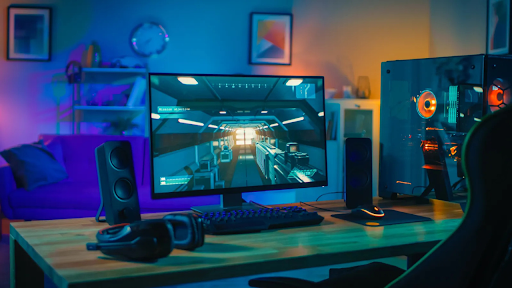
You fire up your favorite game, and everything looks perfect. The graphics shine. The frame rates soar. Then suddenly your screen freezes. Your computer crashes. You lose all your progress. This nightmare happens to gamers every single day. The culprit? Poor component choices that cannot handle intense gaming sessions. Your gaming rig needs parts that stay rock solid even when you push them to the limit.
Modern games demand massive processing power. They stress every single part of your system. A weak link in your setup means crashes and stutters at the worst possible moments. The good news is that you can build a stable gaming machine.
Figuring out the essentials is the first rule of understanding a good system. There are seven essential elements that are required to run a seamless system. Let us explore what makes these parts so crucial for your gaming experience.
1. Power Supply Unit: The Foundation of System Stability
Your power supply does more than just deliver electricity to your components. It acts as the backbone of your entire system. The best computer for gaming relies on a high-quality power supply to deliver clean, consistent power, preventing sudden shutdowns, component stress, and performance drops during peak gaming loads.
An excellent power supply unit will stop voltage variations. It eliminates electrical noise. The combination of these functions keeps costly hardware safe from getting damaged.
Budget power supplies fail under pressure. They cannot maintain consistent power delivery. Your system crashes when components do not get the electricity they need.
Choosing the Right Wattage and Efficiency Rating
The power supplying unit (PSU) should be able to supply not only exactly the required wattage for all the components but also an extra wattage for safety.
- Bronze models waste less energy than non-certified units.
- Gold-rated PSUs run cooler and more efficiently.
- Platinum options offer the best efficiency but cost more.
Modular cables make building easier. They reduce clutter inside your case.
2. CPU Cooler: Preventing Thermal Throttling
Games put a lot of stress on your processor, leading to an immense amount of heat being generated. It will, however, have to cool down itself and thereby slow down if no cooling is provided. This process is called thermal throttling.
Stock coolers barely do the job. They struggle to keep temperatures in check. Your CPU performance drops when things get too hot.
Aftermarket coolers handle heat much better:
- Air coolers use large heatsinks and powerful fans.
- Liquid cooling systems move heat away more efficiently.
- Tower coolers offer excellent performance at reasonable prices.
Lower temperatures mean sustained performance. Your CPU runs at full speed throughout your gaming session. No more sudden frame drops when action gets intense.
As per a report, the global gaming computers/ PCs market is expanding rapidly with each passing day. The total market share is expected to surpass $129.93 billion by 2030.
3. Graphics Card with Robust Cooling
During a gaming session, the GPU is probably the most stressed-out piece of hardware; the reason for this is that it is responsible for rendering every single frame shown on the monitor. If there is no efficient cooling system, then heat will build up rapidly.
The three-fan configurations outperform in pushing air that passes through the heatsinks. The use of vapor chamber technology facilitates the even distribution of heat throughout the whole card.
Understanding GPU Temperature Management
Modern graphics cards throttle performance to prevent damage. They slow down when temperatures exceed safe limits.
Good cooling keeps your GPU running at maximum boost clocks:
- Better fans mean lower temperatures.
- Larger heatsinks absorb more heat.
- Proper airflow removes hot air quickly.
4. RAM with Heat Spreaders
Memory modules work constantly during gaming. They store textures and game data. Heat affects their stability and performance.
Gaming RAM comes with aluminum heat spreaders:
- Heatsinks made of metal remove the heat from the chips.
- The bigger area lets the heat escape better.
- The RGB lightings give style to the device without affecting its performance.
Faster RAM speeds generate more heat. Heat spreaders become essential for high-frequency modules. They keep your memory stable even during marathon gaming sessions.
5. Motherboard with Quality VRM Design
Your motherboard powers and manages every component. The voltage regulator module controls power delivery to your CPU.
Cheap motherboards use inferior VRM components. They overheat under sustained loads. Your system becomes unstable during demanding games.
Quality VRMs feature these elements:
- More power phases distribute heat better.
- Larger heatsinks cool VRM components effectively.
- Better capacitors last longer under stress.
6. Case with Optimal Airflow Design
Your case houses all components. It needs proper ventilation to remove hot air. Poor airflow creates heat pockets that damage hardware.
Budget cases lack adequate ventilation. Hot air gets trapped inside. Component temperatures rise, and stability suffers.
Gaming cases feature smart airflow designs:
- Mesh front panels allow unrestricted air intake.
- Multiple fan mounting points improve circulation.
- Cable management systems clear airflow paths.
7. Storage Drive with DRAM Cache
Your storage drive loads game files constantly. It affects loading times and system responsiveness. Drives without cache struggle under heavy loads.
SSDs with DRAM cache maintain consistent performance:
- Cache speeds up read and write operations.
- Better endurance means longer drive life.
NVMe drives offer faster speeds than SATA options. They load games in seconds instead of minutes. Your system feels snappier and more responsive overall.
Conclusion
Every component in your gaming PC plays a vital role. Each part must handle sustained loads without failing. The seven elements we covered work together as a team. By selecting the right parts, you can assemble the ultimate gaming PC that will remain dependable for years. You are able to experience gaming in a smooth manner without interruptions or freezes. The extra money spent on quality parts pays off immediately. Your games run better, and your hardware lasts longer. Start building your stable gaming fortress today with these essential components.
Be the first to comment on "7 Gaming Computer Elements That Maintain Stability Under Load"