Businesses use encryption to protect information every day. It secures online payments, customer records, business emails, and cloud storage.
However, encryption has a practical limitation. Data often needs to become readable when an application processes it.
Think about a hospital analysing patient records. The information may remain encrypted while stored on a server. It may also remain protected while moving between systems. But the application needs access to the data to perform calculations.
This creates a security gap.
During processing, sensitive information can become exposed to certain privileged users, compromised software, or weaknesses in the underlying infrastructure. Traditional security controls do not always provide enough protection against these risks.
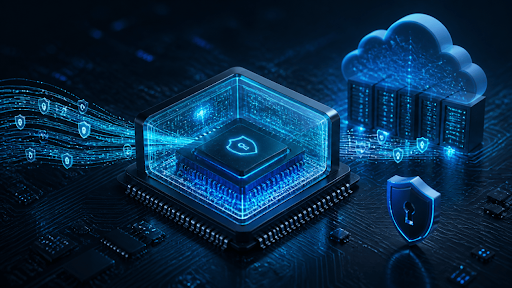
This is where Confidential Computing becomes useful. It helps protect sensitive information while applications actively process it. It uses hardware-based security to create isolated environments for important workloads.
The technology is gaining attention across cloud platforms, healthcare, finance, artificial intelligence, and enterprise software. It can help organisations handle sensitive information without relying entirely on the security of the underlying infrastructure.
This guide explains how it works, where businesses can use it, and what they should consider before adopting it.
What Is Confidential Computing?
Confidential Computing protects data while it is being processed inside a hardware-based, isolated environment called a Trusted Execution Environment (TEE).
Most data security strategies focus on two states:
- Data at rest: Information stored in databases, hard drives, or cloud storage.
- Data in transit: Information moving between devices, applications, or servers.
There is another important state: data in use.
This is information actively being processed by a computer. For example, an application may read a customer record to calculate a loan amount or verify a payment.
Protecting data during this stage is more difficult. The processor needs access to the information to complete the task.
A TEE creates a protected area where approved code can process sensitive information. Hardware-based security helps isolate this environment from other software and parts of the system.
The Confidential Computing Consortium defines the approach around hardware-based, attested trusted execution environments. The goal is to protect information during computation, not just while it is stored or transferred.
GitHub+1
One important distinction is that this technology does not replace regular encryption. It adds another layer to an organisation’s existing security strategy.
Why Is Data Protection During Processing Important?
Imagine a financial company using a cloud application to analyse customer transactions.
The company encrypts its database. It also uses secure connections to transfer information. These measures protect data when it is stored and transmitted.
But the application must process readable information to identify unusual transactions.
If an attacker gains access to the processing environment, sensitive information may become exposed. A compromised administrator account or vulnerable system component could also create risks.
This does not mean every cloud administrator can automatically read every customer’s data. Cloud providers use access controls and security measures. However, organisations may want additional technical protection against privileged access and infrastructure-level threats.
There are several reasons why this matters.
1. Sensitive information needs stronger protection
Some information can cause serious harm if exposed.
Examples include:
- Patient medical histories.
- Banking and payment records.
- Customer identity information.
- Business contracts and legal documents.
- Proprietary software and research data.
- Confidential machine learning datasets.
Businesses may need to process this information across different applications and platforms. Protecting it only during storage is not always enough.
2. Cloud environments involve shared infrastructure
Cloud computing allows multiple customers to use the same physical infrastructure. Providers isolate customer workloads through virtualisation and other security controls.
However, organisations may still want additional protection from risks involving the host operating system, hypervisor, or privileged infrastructure access.
A properly configured TEE can reduce exposure to certain attacks from outside the protected environment.
3. Businesses need secure data collaboration
Companies sometimes need to analyse information held by other organisations.
For example, two financial institutions may want to identify fraud patterns without directly sharing their entire customer databases.
Healthcare researchers may need to analyse sensitive information from different providers.
These situations require careful privacy controls. Protected processing environments can support some of these use cases.
How Does a Trusted Execution Environment Work?
A Trusted Execution Environment is the core technology behind hardware-based confidential processing.
It creates an isolated environment for approved applications and their data. The processor and supporting hardware security features help protect the environment.
Microsoft explains that code inside a TEE can access its protected data, while software outside the boundary is restricted from reading or modifying it.
Microsoft Learn
Here is a simplified view of how the process works.
Step 1: The application starts inside a protected environment
A business deploys an application on compatible hardware. The system creates a protected execution area.
Depending on the platform, this may involve an isolated virtual machine or a smaller protected region called an enclave.
Step 2: Sensitive data enters the environment
The application receives the information it needs to process.
The hardware protects the relevant memory from unauthorised access outside the trusted boundary. Some implementations encrypt memory as part of this protection.
Step 3: The application processes the information
The approved application performs its task inside the protected environment.
For example, a banking application may calculate a customer’s eligibility for a loan. It can process the required financial information without exposing the workload to other software outside the protected boundary.
Step 4: The system verifies the environment
This step is called remote attestation.
It allows another system to check whether the protected environment is running on genuine supported hardware and whether its configuration meets specific security requirements.
The verification process can help confirm that sensitive information is being sent to an expected environment.
Step 5: The application returns the result
After processing, the application sends the required output to the authorised system.
The business can then use the result without exposing more information than necessary.
The exact process depends on the hardware, cloud platform, and application design. A TEE does not automatically make every part of an application secure.
Key Technologies Behind Confidential Computing
Different hardware manufacturers and cloud providers support protected execution through different technologies.
Businesses should understand the main options before choosing a platform.
1. Intel Software Guard Extensions (SGX)
Intel SGX provides hardware-based enclaves. These enclaves create protected memory regions for selected application code and data.
An application can place sensitive operations inside an enclave. The hardware helps restrict access from software outside that protected area.
SGX is useful for workloads that need more focused isolation. However, developers may need to modify applications to use enclave-based designs.
2. Intel Trust Domain Extensions (TDX)
Intel TDX supports hardware-based isolation at the virtual machine level.
It creates protected virtual machines called trust domains. This allows organisations to protect broader workloads rather than placing every sensitive operation inside a small enclave.
This model can help businesses move existing virtual machine workloads towards protected processing.
3. AMD Secure Encrypted Virtualization (SEV)
AMD SEV uses hardware security features to protect virtual machine memory.
Its related technologies include SEV-SNP, which adds further protections designed to strengthen isolation and help prevent certain attacks involving memory mapping and data integrity.
Cloud providers use supported AMD hardware to offer confidential virtual machines.
4. Confidential GPU computing
Artificial intelligence and machine learning workloads often depend on GPUs.
These systems process large datasets and may handle confidential prompts, model parameters, customer records, and proprietary information.
Confidential GPU computing extends hardware-based protection to supported GPU workloads. This can help organisations protect sensitive data during AI processing.
Google Cloud documents support for NVIDIA Confidential Computing alongside CPU-based confidential computing technologies in supported configurations.
Google Cloud Documentation+1
Confidential Computing vs Traditional Encryption
Traditional encryption remains essential. However, it does not provide the same protection at every stage of data processing.
Here is how the approaches differ.
| Security area | Traditional encryption | Confidential Computing |
| Data at rest | Protects stored information | Works alongside storage encryption |
| Data in transit | Protects information moving across networks | Complements secure communication |
| Data in use | Data must be available to the application for processing | Uses protected hardware environments during processing |
| Main technology | Encryption algorithms and secure protocols | Hardware-based TEEs and attestation |
| Common use | Databases, websites, file storage, and communication | Sensitive cloud workloads and protected computation |
The two approaches should work together.
Businesses still need strong encryption for storage and network communication. They also need access controls, secure software, monitoring, and reliable key management.
Confidential Computing addresses one part of the wider data security challenge. It does not replace the rest of the security architecture.
Where Can Businesses Use Confidential Computing?
The technology has practical applications across industries. It is particularly relevant when organisations process information they cannot afford to expose.
1. Banking and financial services
Banks process payment details, account records, credit information, and customer identities.
They may use protected environments for fraud detection, financial analysis, and sensitive transaction processing.
For example, a bank could analyse customer activity inside an isolated environment. The aim is to reduce the exposure of sensitive information during computation.
Financial organisations should still combine this approach with strong identity management, transaction monitoring, and encryption.
2. Healthcare and medical research
Healthcare providers handle patient information that requires careful privacy protection.
Hospitals may process medical histories, laboratory results, diagnostic information, and treatment records. Research organisations may also need to analyse sensitive datasets.
Protected processing can help reduce exposure while authorised applications work with medical information.
Healthcare organisations should also review their wider digital security practices. Our guide on AI in healthcare and how technology is changing patient care explains how digital systems are changing healthcare services.
3. Legal services
Law firms manage confidential client documents, case files, financial records, and private agreements.
They may use cloud platforms for document management and collaboration. These platforms need strong security controls.
Protected execution environments can help secure selected workloads involving confidential legal information.
However, firms must also manage user permissions, secure email, backups, and endpoint protection. Read our guide on strong IT security solutions for law firms for more practical security measures.
4. Artificial intelligence and machine learning
AI systems often process information that businesses consider confidential.
A company may want to use an external AI platform while protecting its customer data or proprietary information.
Protected environments can help secure supported AI workloads during processing. They may also help protect model parameters and sensitive prompts.
Managing AI workloads also requires proper model development, deployment, and monitoring practices. Businesses can learn more about the role of MLOps in modern AI development and how it supports reliable AI systems.
This is particularly useful in regulated industries where organisations need greater control over how information is handled.
5. Government and public services
Government departments manage identity records, tax information, public service databases, and confidential documents.
Some departments may use cloud services while maintaining strict data protection requirements.
Protected processing can support selected workloads where additional hardware-backed isolation is required.
Government teams must still evaluate local regulations, data residency rules, and the security requirements of each application.
What Are the Benefits for Businesses?
Adopting this technology can provide several advantages when the workload and platform are suitable.
Better protection for data in use
The main benefit is protection during active processing.
Hardware-backed isolation can reduce the risk of unauthorised access from software outside the protected environment.
Greater control over cloud workloads
Some businesses hesitate to move sensitive workloads to cloud infrastructure because of concerns about privileged access.
A properly implemented TEE can reduce the level of trust required in certain parts of the underlying infrastructure.
It does not remove the need to trust the hardware manufacturer, firmware, cloud provider, or software supply chain.
Support for sensitive data collaboration
Organisations may be able to analyse information across different environments with stronger technical privacy controls.
This can support research, fraud detection, and selected business partnerships.
Stronger protection for AI workloads
Businesses are using AI to analyse customer information and automate internal processes.
Protected execution can help secure supported AI workloads that process confidential data or proprietary models.
Support for security and compliance programmes
Hardware-backed isolation may help organisations meet specific security objectives.
However, it does not guarantee compliance with regulations such as GDPR, HIPAA, or other industry requirements. Businesses must assess the full system and applicable legal obligations.
What Are the Challenges of Adopting Confidential Computing?
The technology offers useful protections, but it is not suitable for every workload.
Businesses should understand its limitations before making infrastructure decisions.
1. Hardware and platform requirements
Not every server or processor supports the required security features.
Organisations may need compatible hardware, cloud instances, firmware, and software libraries.
This can affect infrastructure planning and migration costs.
2. Application compatibility
Some applications may need changes before they can run inside a TEE.
Enclave-based designs can require additional development work. Virtual machine-level approaches may support broader workloads, but compatibility still depends on the platform.
Businesses should test applications before moving production data.
3. Performance considerations
Protected environments can introduce additional processing overhead.
The impact depends on the workload, hardware, memory usage, and security configuration.
For example, an application that processes large datasets may behave differently inside a protected environment.
Performance testing should be part of the adoption plan.
4. Attestation and key management
Remote attestation helps verify the environment before sensitive data is released.
However, organisations must configure verification policies correctly. They also need secure processes for managing encryption keys and access permissions.
Poor configuration can weaken the protection the technology is intended to provide.
5. Shared responsibility
Confidential processing does not secure an entire business environment automatically.
Organisations remain responsible for application security, user access, endpoint protection, backups, monitoring, and incident response.
A protected workload can still be affected by vulnerabilities inside the application itself.
Developers can also explore how AI laptops for coding tasks support modern development workflows and AI-powered applications.
How Can a Business Get Started?
Businesses do not need to move every application into a protected environment.
A better approach is to identify workloads where additional protection would provide clear value.
Here are practical steps to begin.
1. Identify sensitive workloads
Start by reviewing applications that process confidential information.
These may include payment systems, medical platforms, financial analysis tools, and customer databases.
Record what information each application handles and who can access it.
2. Review current infrastructure
Check whether existing servers and cloud platforms support hardware-based trusted execution environments.
Ask your cloud provider about supported confidential virtual machines, hardware options, and regional availability.
3. Evaluate the security requirements
Decide what the business needs to protect.
Some workloads may require protection from unauthorised access by host software. Others may need stronger verification before releasing sensitive data.
Define the threat model before selecting a solution.
4. Compare cloud provider options
Major cloud providers offer different confidential computing services.
For example, Google Cloud provides Confidential VMs and related services. Microsoft Azure supports confidential virtual machines and enclave-based options. The available hardware and capabilities vary by service and region.
Google Cloud Documentation+2
Compare supported workloads, attestation features, performance, costs, and operational requirements.
5. Run a controlled pilot
Choose one application with a clear security requirement.
Move it into a test environment and check its functionality. Measure performance and verify that attestation works as expected.
Do not move critical business workloads until the security and operational teams approve the results.
6. Review the wider security strategy
Protected processing should form part of a wider security programme.
Review application updates, access permissions, encryption, backup procedures, and incident response.
Businesses should also avoid common implementation mistakes. Our article on AI implementation mistakes that cost businesses time and money offers useful lessons on planning and managing technology projects.
The Future of Confidential Computing
Businesses are processing more sensitive information through cloud applications, connected devices, and AI systems.
This creates new security requirements. Organisations need to protect information while it moves, while it is stored, and while applications use it.
Hardware-based trusted execution environments offer one way to address the data-in-use challenge.
The technology is also becoming relevant to AI infrastructure. Companies want to use powerful computing platforms without exposing confidential prompts, customer information, or proprietary models unnecessarily.
However, adoption will depend on more than hardware support. Developers need suitable tools. Cloud providers must offer reliable services. Security teams need ways to verify environments and manage keys.
Businesses should follow emerging technology developments and security guidance. Reading technology and business news can also help decision-makers stay aware of changes affecting their digital infrastructure.
The best starting point is a clear understanding of existing risks. Organisations can then test suitable workloads and expand adoption based on real security needs.
Frequently Asked Questions
1. What is Confidential Computing in simple terms?
It is a security approach that protects information while a computer processes it. It uses hardware-based trusted execution environments to isolate sensitive code and data from unauthorised access outside the protected area.
2. What is a Trusted Execution Environment?
A Trusted Execution Environment, or TEE, is an isolated area supported by hardware security features. It helps protect applications and information while they are running.
3. How is it different from traditional encryption?
Traditional encryption protects data while it is stored or transferred. Confidential computing adds protection while applications process information. Both approaches work together as part of a complete security strategy.
4. Does it protect data from cloud providers?
A properly configured TEE can reduce the ability of certain privileged software and infrastructure components to access protected workloads. However, security depends on the hardware, implementation, attestation process, and threat model.
5. Is it useful for small businesses?
It can be useful when a small business processes highly sensitive information through compatible infrastructure. However, the cost and technical requirements should be compared with the actual security risks.
6. Can it protect AI applications?
Yes, supported confidential computing platforms can protect selected AI workloads during processing. This may help secure sensitive prompts, datasets, and model information. The exact protection depends on the CPU, GPU, and platform configuration.
7. Does it replace cloud encryption?
No. Businesses still need encryption for stored data and network communication. Confidential computing adds protection during processing.
8. What is remote attestation?
Remote attestation is a verification process. It provides evidence about the identity and security state of a protected computing environment before sensitive information is shared with it.
Final Thoughts
Data security does not end when information is encrypted and stored. Applications still need to process that information to perform business tasks.
That creates a need for stronger protection during computation.
Confidential Computing helps address this challenge through hardware-based isolation and trusted execution environments. It can support sensitive workloads across finance, healthcare, legal services, cloud infrastructure, and AI.
Businesses should begin by identifying their most sensitive applications. They can then review platform support, evaluate security requirements, and test suitable workloads.
The technology is not a replacement for existing cybersecurity controls. It is another layer that can help organisations protect important information throughout its lifecycle.
For more practical technology and cybersecurity guides, visit TechSolution Help.
Be the first to comment on "Confidential Computing: How to Protect Data While It Is Being Processed"